
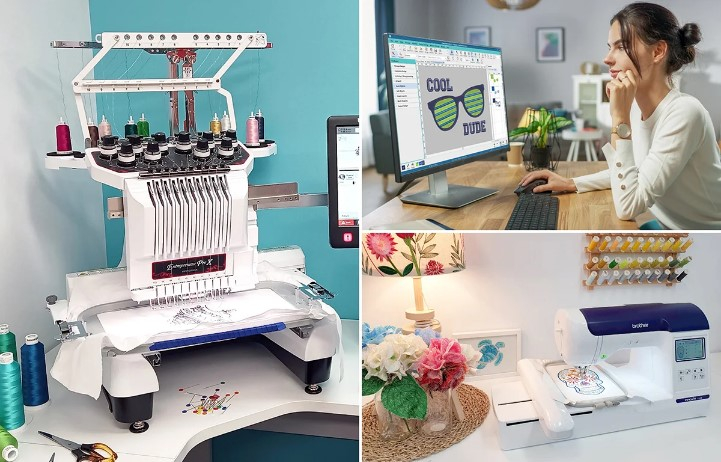
Embroidery machines cannot read regular image files like JPG files. Many beginners think they can place a JPG image into an embroidery machine and start stitching. Sadly, it does not work that way. An embroidery machine needs a special file format that contains stitch data, color changes, and sewing instructions.
To Convert JPG Image to VP3, the artwork must go through a digitizing process. This process changes the picture into an embroidery file that embroidery machines can understand. The VP3 format is commonly used with Husqvarna Viking and Pfaff embroidery machines. A properly digitized VP3 file helps create clean, smooth, and professional embroidery results.
If you are new to embroidery, understanding file formats can seem confusing. There are many embroidery file types available. Each one serves a different machine brand. Learning how JPG images become VP3 embroidery files can help you avoid mistakes and achieve better embroidery results.
This guide explains everything beginners need to know about VP3 files, embroidery digitizing, and how the conversion process works.
What Is a JPG Image?
A JPG file is one of the most common image formats.
People use JPG files every day.
Common Uses of JPG Files
JPG images are often used for:
-
Photos
-
Logos
-
Social media graphics
-
Website images
-
Marketing materials
These files are great for viewing and sharing.
Why JPG Files Cannot Be Used Directly
A JPG image contains pixels.
It does not contain stitch information.
An embroidery machine needs instructions for stitching.
That is why a JPG file must be converted before embroidery production.
What Is a VP3 File?
VP3 is an embroidery machine file format.
It contains all the stitching instructions needed by the machine.
Information Stored in a VP3 File
A VP3 file includes:
-
Stitch locations
-
Stitch directions
-
Thread colors
-
Machine commands
-
Design size
The embroidery machine reads this information and follows the instructions.
Which Machines Use VP3 Files?
VP3 files are commonly used by:
-
Husqvarna Viking machines
-
Pfaff embroidery machines
These machines depend on VP3 files for embroidery production.
Why Embroidery Machines Need Special Files
Embroidery machines work differently than printers.
Printers place ink on paper.
Embroidery machines place stitches on fabric.
Machines Need Exact Instructions
The machine must know:
-
Where to stitch
-
Which stitch type to use
-
Which color comes next
-
How dense the stitches should be
Without these instructions, the machine cannot create embroidery.
What Is Embroidery Digitizing?
Digitizing is the process of turning artwork into embroidery instructions.
It is one of the most important steps in embroidery.
Digitizing Is Not File Conversion Alone
Many beginners think digitizing is automatic.
In reality, digitizing requires skill and planning.
The Goal of Digitizing
The goal is to create a file that stitches smoothly and accurately.
Good digitizing leads to better embroidery results.
How Experts Convert JPG Images Into VP3 Files
Professional digitizers follow a step-by-step process.
Step 1: Review the Artwork
The image is carefully examined.
The digitizer studies:
-
Design details
-
Colors
-
Text
-
Shapes
Step 2: Simplify the Design
Some image details may not work well in embroidery.
Small details are adjusted when needed.
Step 3: Assign Stitch Types
Different design areas require different stitches.
Step 4: Plan Stitch Directions
The digitizer chooses stitch angles.
This improves appearance and texture.
Step 5: Export to VP3 Format
After digitizing is complete, the file is saved as VP3.
The design is now ready for embroidery production.
Why Good Digitizing Matters
Digitizing directly affects embroidery quality.
Poor Digitizing Creates Problems
Common issues include:
-
Thread breaks
-
Gaps
-
Distortion
-
Uneven stitching
Professional Digitizing Improves Results
A quality file helps the machine stitch smoothly.
The final embroidery looks cleaner and more professional.
Understanding Stitch Types
Embroidery designs use several stitch types.
Satin Stitches
These stitches are ideal for:
-
Text
-
Borders
-
Small shapes
They create a smooth finish.
Fill Stitches
Fill stitches cover larger areas.
They provide texture and coverage.
Running Stitches
Running stitches work well for outlines and fine details.
Each stitch type serves a different purpose.
The Importance of Stitch Direction
Stitch direction affects how embroidery looks.
Better Design Appearance
Different angles create depth and texture.
Reduced Fabric Pull
Proper stitch flow helps control distortion.
Improved Detail
Correct stitch direction makes designs look cleaner.
Professional digitizers carefully plan stitch paths.
Why Stitch Density Matters
Density refers to stitch spacing.
Too Much Density
Excessive density may cause:
-
Thread breaks
-
Fabric damage
-
Stiff embroidery
Too Little Density
Low density may create:
-
Gaps
-
Weak coverage
-
Poor appearance
Finding the right balance is important.
How Fabric Affects Digitizing
Different fabrics require different settings.
Polo Shirts
These materials stretch slightly.
Caps
Caps have curved surfaces.
Jackets
Heavy fabrics require special planning.
Towels
Thick materials need extra attention.
Good digitizers adjust files based on fabric type.
Common Mistakes Beginners Make
Many new embroidery users make avoidable mistakes.
Using Low-Quality Images
Blurry images create poor embroidery results.
Choosing the Wrong Size
Very small designs lose detail.
Ignoring Fabric Type
Different fabrics require different stitch settings.
Skipping Test Stitching
Testing helps identify problems before production.
Avoiding these mistakes improves embroidery quality.
Why Test Stitching Is Important
Testing is a critical step.
Checking Accuracy
The design is compared with the original artwork.
Finding Errors
Small issues become easier to spot.
Improving Quality
Adjustments can be made before final production.
Professional digitizers always recommend testing.
Benefits of VP3 Embroidery Files
VP3 files offer many advantages.
Machine Compatibility
They work well with supported embroidery machines.
Organized Stitch Data
The file contains clear instructions.
Better Embroidery Results
Well-made VP3 files support clean stitching.
Easier Production
Machines can process the design efficiently.
These benefits make VP3 a trusted embroidery format.
Why Businesses Use Professional Digitizing Services
Businesses want reliable embroidery.
Consistent Results
Every design looks similar.
Better Branding
Logos remain sharp and professional.
Reduced Production Issues
Machines run more smoothly.
Higher Customer Satisfaction
Quality embroidery creates positive impressions.
Professional digitizing helps achieve these goals.
How Professional Digitizers Create Better Files
Experience matters in embroidery digitizing.
Understanding Embroidery Machines
Experts know how machines behave.
Fabric Knowledge
Different materials require different settings.
Stitch Planning
Every stitch is carefully placed.
Quality Control
Files are reviewed before delivery.
These skills improve embroidery quality.
At Absolute Digitizing, professional digitizers focus on creating accurate embroidery files that help machines produce clean and dependable stitching results.
Why Beginners Benefit From Professional Help
New embroidery users often struggle with file preparation.
Faster Learning
Professional services remove much of the guesswork.
Better Results
Quality files improve embroidery appearance.
Less Frustration
Fewer production problems occur.
Greater Confidence
Beginners can focus on learning embroidery.
This makes professional digitizing a valuable resource.
Absolute Digitizing helps embroidery businesses, hobbyists, and beginners create machine-ready files designed for smooth stitching and professional results.
Long-Term Value of High-Quality VP3 Files
A properly digitized file remains useful for years.
Reuse for Future Orders
The file can be stitched again and again.
Consistent Branding
Logos stay uniform across products.
Improved Efficiency
Production becomes faster.
Reduced Costs
Fewer mistakes mean less waste.
These benefits make professional digitizing a smart investment.
Absolute Digitizing understands the importance of stitch quality and provides embroidery files that support reliable production and excellent embroidery results.
Final Thoughts
Learning how a JPG image becomes a VP3 embroidery file is an important step for every embroidery beginner. A JPG image contains only visual information, while a VP3 file contains the stitch instructions needed by embroidery machines. The digitizing process bridges this gap and transforms artwork into machine-readable embroidery data.
Professional digitizing helps ensure accurate stitching, better design quality, and smoother production. Whether you are creating logos, monograms, patches, uniforms, or custom gifts, a properly digitized VP3 file provides the foundation for successful embroidery.
By understanding the digitizing process and working with experienced professionals, beginners can achieve cleaner, more reliable, and more professional embroidery results every time.

 English
 Arabic
 French
 Spanish
 Portuguese
 Deutsch
 Turkish
 Dutch
Dutch
 Italiano
 Russian
 Romaian
 Greek
Greek